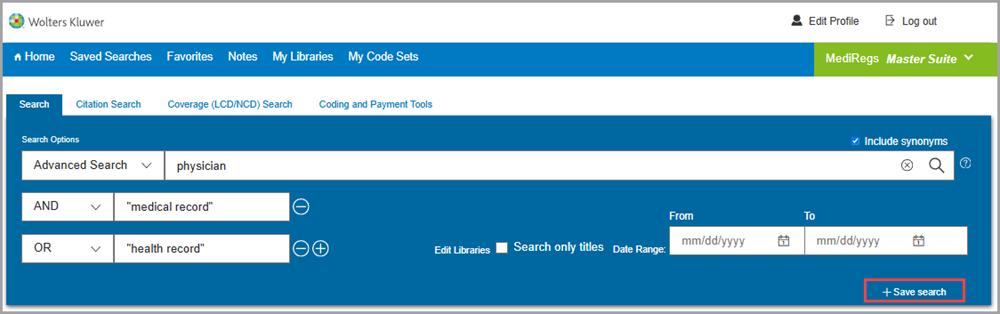
After executing your search, click +Save Search in the blue banner across the top of the screen.
At the Save this Search window, use the dropdown to save the search to a folder. You have the option of saving to a new folder you create, yourself, or to the generic Saved Searches folder.
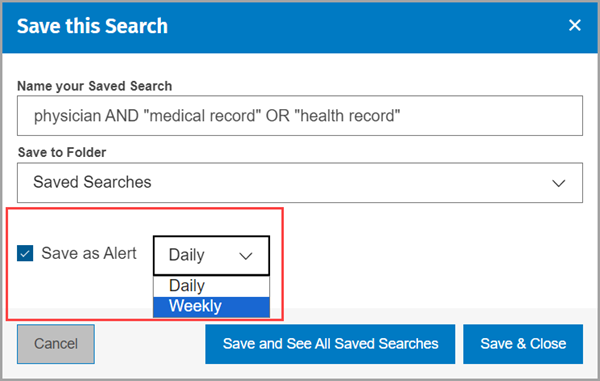
After selecting the folder, indicate if you would like to set up a daily or weekly search alert.
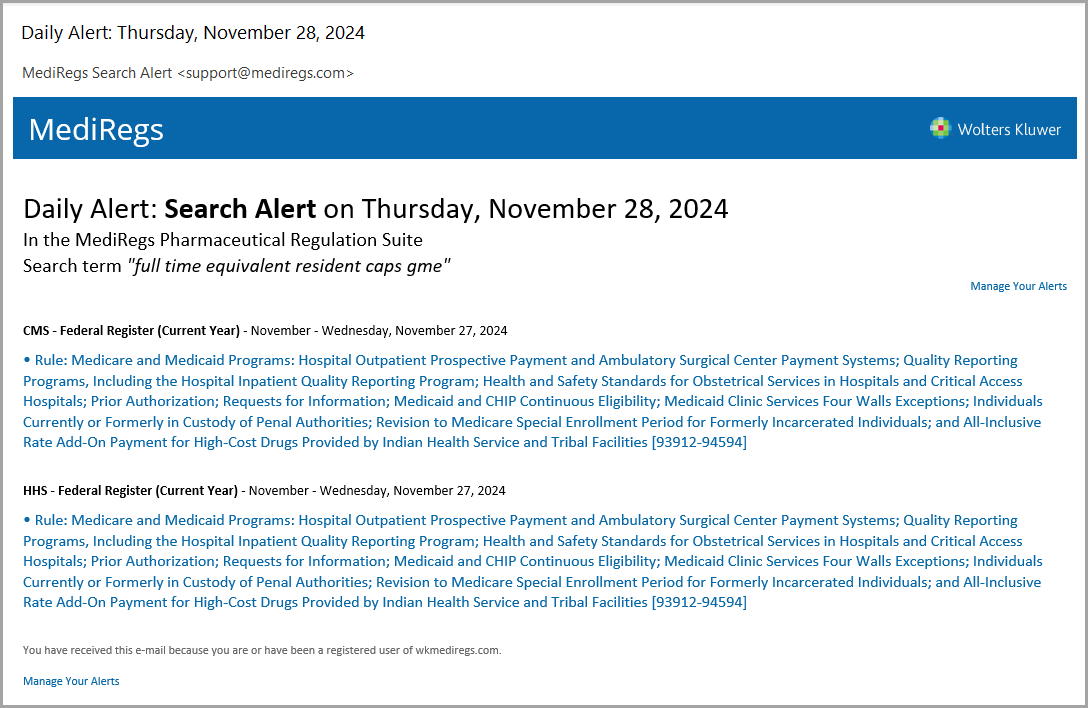
The Search Alert email is clearly identified and indicates the product and the search parameter. The black text indicates the location of the new document; the blue text is a clickable link to the specific document.