To change your MediRegs password:
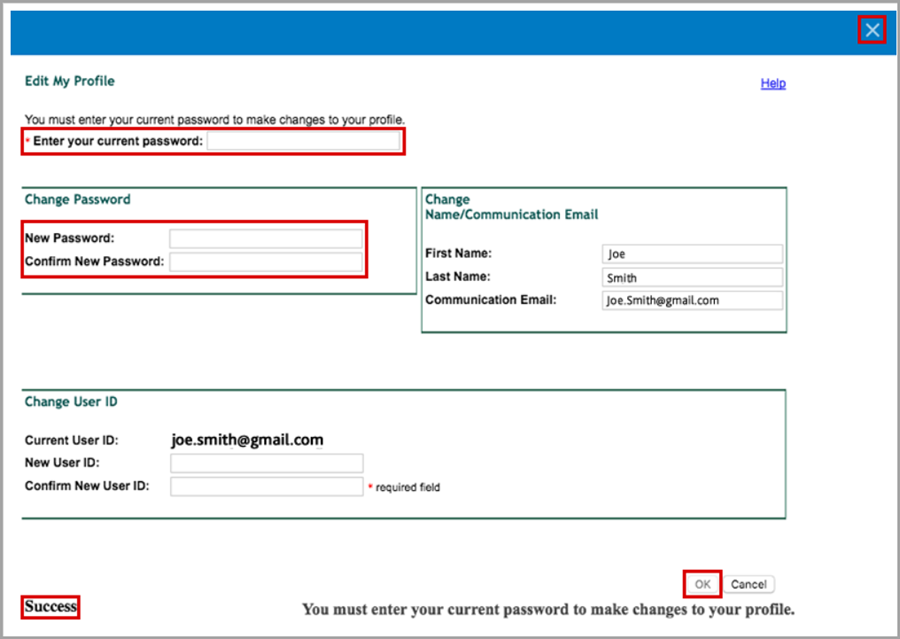
Click Edit Profile to display the Edit My Profile dialog box.

Enter your current password in the Enter your current password text field.
Enter your new password twice in the New Password and Confirm New Password text fields.
Click the OK button.
NOTE: After clicking the OK button to save your changed password (and any other changes you may have made), you will see a Success message located near the lower left of the Edit My Profile dialog box.
Close the Edit My Profile dialog box by clicking the X in the top right corner.